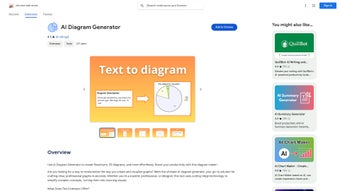

Download AI Diagram Generator – AI‑Powered Diagram Creation Tool for Flowcharts, UML & ERDs
Introduction
In today’s fast‑paced environment, visual communication is no longer a luxury—it’s a necessity. Teams across software development, business analysis, education, and project management constantly need to translate abstract ideas into clear, actionable diagrams. Traditionally, creating a professional flowchart, UML class diagram, or Entity‑Relationship Diagram (ERD) required hours of manual drawing, a steep learning curve with complex software, and often a back‑and‑forth between collaborators to fine‑tune layouts.
AI Diagram Generator arrives as a direct answer to these pain points, offering a cloud‑based, AI‑driven platform that converts plain‑language descriptions into polished diagrams within seconds. By leveraging natural‑language processing and a smart layout engine, the tool eliminates repetitive manual work while preserving the precision required by industry standards. Whether you’re a student drafting a class assignment, a startup founder mapping a product roadmap, or an enterprise architect documenting system interactions, AI Diagram Generator promises to accelerate your workflow, reduce errors, and foster real‑time collaboration.
This review delves into the core capabilities, user experience, system requirements, and the overall value proposition, helping you decide if this solution fits your diagramming needs.
Overview and Core Features
AI Diagram Generator is a fully web‑based application that transforms textual input into a variety of diagram types without requiring any local installation. The platform’s AI engine interprets user‑provided sentences, identifies key entities, actions, and relationships, and then selects the optimal shapes, connectors, and layout conventions for the chosen diagram style. The result is a clean, export‑ready visual that can be instantly shared, embedded, or downloaded. The service is designed for both casual users—who may need a quick flowchart for a presentation—and power users—who require advanced features such as API integration and version control. Security is baked in, with encrypted storage, GDPR compliance, and granular sharing permissions that protect sensitive data while enabling seamless teamwork.
- Natural‑Language Input: Write your diagram logic in plain English; the AI parses it and generates the correct shapes and connectors.
- Multiple Diagram Types: Supports flowcharts, ERDs, UML (class, sequence, activity), BPMN, mind maps, decision trees, and custom schematics.
- Smart Layout Engine: Automatic alignment, spacing, and styling that follows industry standards for each diagram type.
- Collaboration Suite: Share a live link with teammates, assign edit permissions, and comment directly on diagram elements.
- Export Options: Download diagrams as high‑resolution PNG, scalable SVG, PDF for print, or embed code for websites.
- Version History & Rollback: Track changes, compare revisions, and revert to earlier versions with one click.
- Template Library: Access a growing collection of pre‑built templates for common use‑cases, customizable to your brand.
- Secure Cloud Storage: All diagrams are saved encrypted on the server, compliant with GDPR and ISO‑27001.
- Integration Hooks: API endpoints and Zapier connections let you push diagrams to Confluence, Notion, or GitHub README files.
- Free Tier & Affordable Upgrade: Generate up to 10 diagrams per month at no cost; premium plans unlock unlimited exports and advanced AI customization.
The feature set is deliberately organized to serve a wide spectrum of users. Beginners benefit from the intuitive natural‑language interface and ready‑made templates, while experienced architects can exploit the API for automated diagram generation within CI/CD pipelines. The smart layout engine reduces the need for manual tweaking, but also offers manual overrides for precise control.
Collaboration tools, such as real‑time sharing links and comment threads, mirror the interactivity found in modern document editors, ensuring that feedback cycles remain short. Export flexibility guarantees that diagrams can be incorporated into reports, presentations, websites, or source code repositories without loss of quality. Security and compliance are not afterthoughts; every file is encrypted both at rest and in transit, and administrators can enforce two‑factor authentication and granular access controls.
Overall, AI Diagram Generator presents a comprehensive, future‑proof solution for visualizing complex information.
Installation, Usage & Compatibility
Getting Started – No Download Required
Because AI Diagram Generator lives entirely in the browser, there is no traditional installation process. Users simply navigate to aidigram.com, click the “Sign Up” button, and choose between the free or premium subscription. The registration wizard includes email verification, optional two‑factor authentication, and a brief onboarding tour that highlights key interface elements such as the text input pane, diagram canvas, and sharing controls.
Step‑by‑Step Workflow
- Create a New Project: After logging in, click “New Diagram,” select the desired diagram type (e.g., Flowchart, UML Class), and provide a meaningful title that will appear in your dashboard.
- Enter Textual Description: Use the left‑hand pane to type a concise, line‑by‑line description of the process or structure you wish to visualize. For example: “Start → User logs in → Authenticate credentials → Show dashboard → End.”
- Generate Diagram: Press the “Generate” button. The AI parses each line, determines appropriate shapes (rectangles, diamonds, cylinders, etc.), and automatically draws connectors following best‑practice conventions.
- Fine‑Tune Layout: Drag any element to a new position, change colors, edit labels, or add custom annotations. The smart engine instantly recalculates spacing to maintain a clean appearance.
- Collaborate in Real Time: Click “Share” to copy a secure URL, assign viewer or editor rights, and start a discussion thread directly on diagram nodes. Changes made by any collaborator appear instantly for all participants.
- Export or Embed: Choose “Export” to download the diagram as PNG, SVG, or PDF, or click “Embed” to obtain an iframe snippet that can be placed on websites, wikis, or internal portals.
- Save & Version Control: Every edit is automatically saved to the cloud. The “History” panel lets you compare versions, revert to previous states, or branch a diagram for experimental changes.
System Compatibility
AI Diagram Generator runs on any modern browser that supports HTML5, CSS3, and JavaScript. It has been tested on Chrome 115+, Firefox 112+, Microsoft Edge 112+, and Safari 16+. Consequently, the tool works flawlessly on Windows 10/11, macOS Monterey and later, popular Linux distributions (Ubuntu, Fedora, Debian), as well as mobile platforms such as Android 12+ and iOS 15+. Because all processing occurs on the server side, device performance has minimal impact; even older laptops or tablets can generate diagrams quickly as long as they have a stable internet connection.
For organizations with strict network policies, the service operates over standard HTTPS (port 443), making it easy to whitelist. No additional plugins, Java, or Flash components are required, and the platform adheres to Content Security Policy (CSP) guidelines, reducing the risk of cross‑site scripting attacks. Users on low‑bandwidth connections may experience a slight delay during the initial generation step, but subsequent edits are almost instantaneous thanks to client‑side caching of assets.
Pros, Cons & Frequently Asked Questions
Pros
- Instant diagram generation saves hours of manual drawing.
- Natural‑language interface lowers the learning curve for non‑technical users.
- Cross‑platform accessibility – works on desktop, tablet, and smartphone.
- Robust collaboration tools encourage team participation and feedback.
- Secure cloud storage ensures data privacy and compliance.
- Extensive export options preserve visual fidelity across media.
- Version history and rollback protect against accidental changes.
- API and Zapier integrations enable automation within existing workflows.
Cons
- Advanced styling options (custom gradients, shadows) are limited in the free tier.
- Complex UML sequences may require minor manual adjustments after generation.
- Internet connection is required; offline usage is not supported.
- Large diagrams with hundreds of elements can experience slight latency during rendering.
- Pricing for premium plans, while competitive, may be a barrier for very small teams.
FAQ – Your Questions Answered
Can I use AI Diagram Generator on a corporate network with strict firewall rules?
Yes. The service runs over standard HTTPS (port 443) and complies with most corporate security policies. If your IT department blocks unknown domains, whitelist aidigram.com and its CDN subdomains.
Is there a limit to the size of a diagram I can create?
Free users can generate up to 10 diagrams per month, each with a maximum of 50 elements. Premium subscribers enjoy unlimited diagrams and up to 500 elements per diagram, which is sufficient for most enterprise use‑cases.
How does the AI interpret ambiguous text?
The underlying language model uses context clues and common diagramming conventions. If the output is not as expected, you can edit the generated diagram or refine the input description for better accuracy.
Can I integrate AI Diagram Generator with my existing documentation tools?
Absolutely. The platform offers API endpoints and Zapier connectors that allow you to push diagrams directly into Confluence, Notion, Microsoft Teams, or GitHub README files.
Is my data safe when I share diagrams with teammates?
All files are encrypted at rest and in transit. Access controls let you define who can view or edit each diagram, and you can revoke links at any time.
Does the free tier include collaboration features?
Yes. Free users can generate shareable links with view‑only or edit permissions, and they can add comments to diagrams. Premium plans add advanced team management, SSO integration, and audit logs.
Conclusion & Call to Action
AI Diagram Generator bridges the gap between conceptual thinking and visual communication by leveraging modern AI techniques to automate diagram creation. Its web‑based architecture eliminates the need for bulky installations, while the natural‑language interface makes diagramming accessible to anyone who can write a sentence. The extensive feature set—including real‑time collaboration, secure cloud storage, multi‑format export, and powerful integrations—delivers a compelling value proposition for both individual creators and larger teams. While the free tier offers generous functionality for occasional use, organizations seeking unlimited diagrams, advanced styling, and API‑driven automation will find the premium subscription a worthwhile investment. If you’re ready to replace tedious manual drawing with a fast, accurate, and collaborative solution, click the link below, sign up, and start generating professional diagrams in seconds.
Sign up for AI Diagram Generator now and experience a new level of productivity in visual communication.



.png)



